


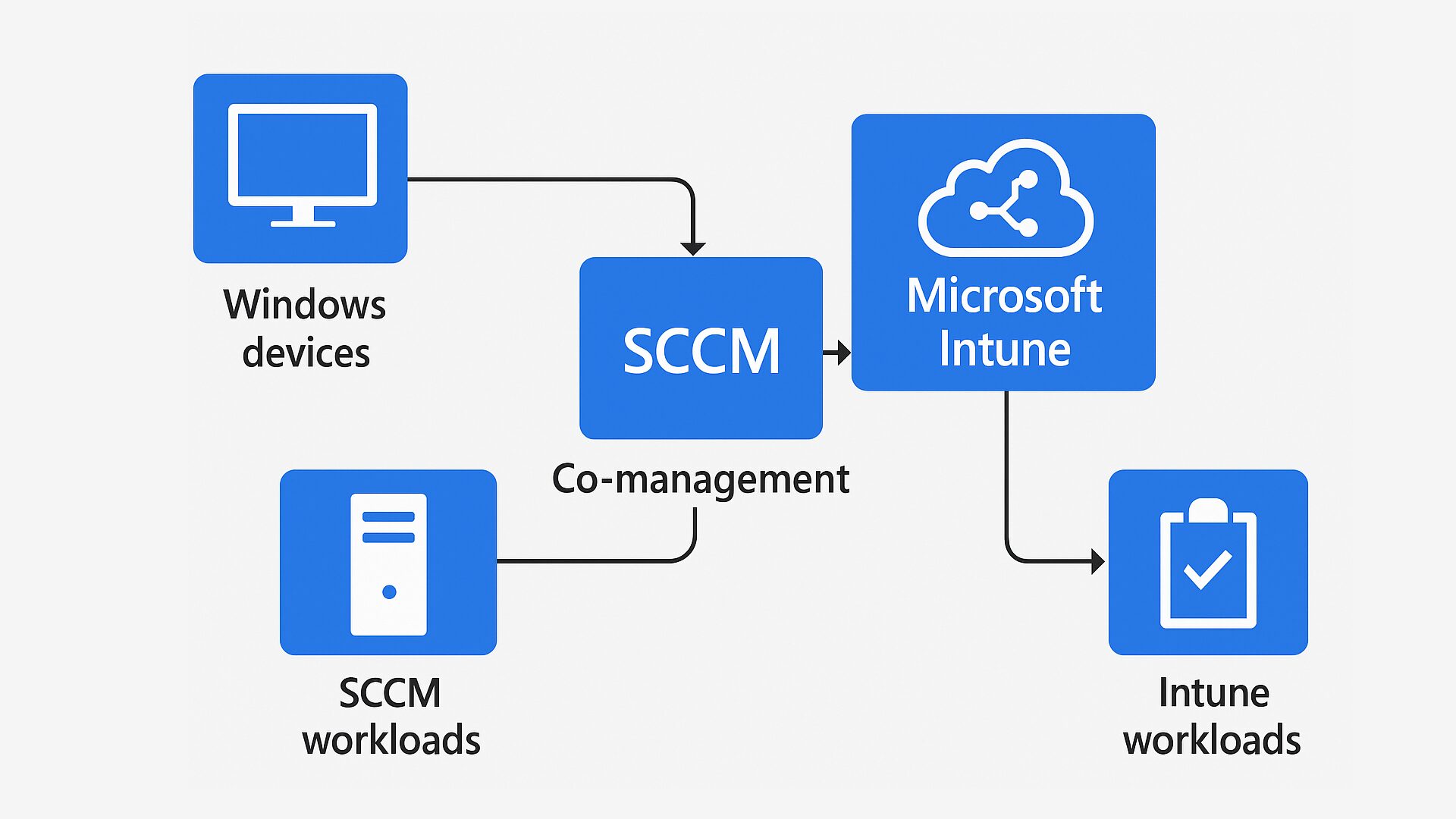
Co-management lets you manage Windows 10/11 devices with System Center Configuration Manager (SCCM) and Microsoft Intune at the same time. Think of it as a bridge from your on-prem SCCM world to modern, cloud-based management with Intune.
What is Co-management?
With co-management, devices run the SCCM client and are also enrolled to Intune. You decide which tasks each tool owns, so you can move to cloud management at your own pace while keeping what already works.
Why use it? Key benefits
- Flexible workloads: Pick which jobs move to Intune (e.g., compliance policies, device configuration) and which stay in SCCM (e.g., some software updates).
- Gradual cloud adoption: Shift in stages without a big-bang cutover.
- Manage off-network devices: Use Cloud Management Gateway (CMG) and Intune to manage remote devices without a VPN.
- Modern capabilities: Integrate with Microsoft 365, support AutoPilot, and strengthen security via Azure AD.
How it works?
- In SCCM, go to Administration → Cloud Services → Co-Management. Connect to Azure AD, set Auto-Enrollment to Intune, then choose which workloads to move.
- Select workloads such as:
- Compliance Policies (Intune)
- Device Configuration (Intune)
- Endpoint Protection (Intune)
- Software Updates (keep in SCCM or move to Intune)
- Client Apps (Intune)
Recommendation: Start with a small pilot group, validate, then expand.
Prerequisites
- Supported SCCM (Current Branch) version (e.g., 1906+ recommended).
- Intune and Azure AD subscriptions (often via EMS).
- Devices on Windows 10 (version 22h2 and up) or Windows 11.
- Azure AD Join or Hybrid Azure AD Join configured.
- Cloud Management Gateway (CMG), if you need, to manage devices outside the corporate network.
SCCM vs. Intune (the simple difference)
- SCCM: Great for complex, on-prem environments; deep control over OSD (Operating System Deployment ) and patching.
- Intune: Cloud-based, simpler to run at scale for diverse platforms (Windows, iOS, Android) and remote management.
A practical migration path
Quick FAQ
- Can I keep software updates in SCCM? Yes. Co-management lets you keep updates in SCCM or move them to Intune later.
- Do I need VPN for remote devices? Not if you use CMG/Intune for management outside the corporate network.
- What if I’m early in cloud adoption? Co-management is designed for a phased approach.


